GHIN
- 3.8
- Rating
- 1.00M
- Installs
- Free
- Price

 Analysis by App-foxy
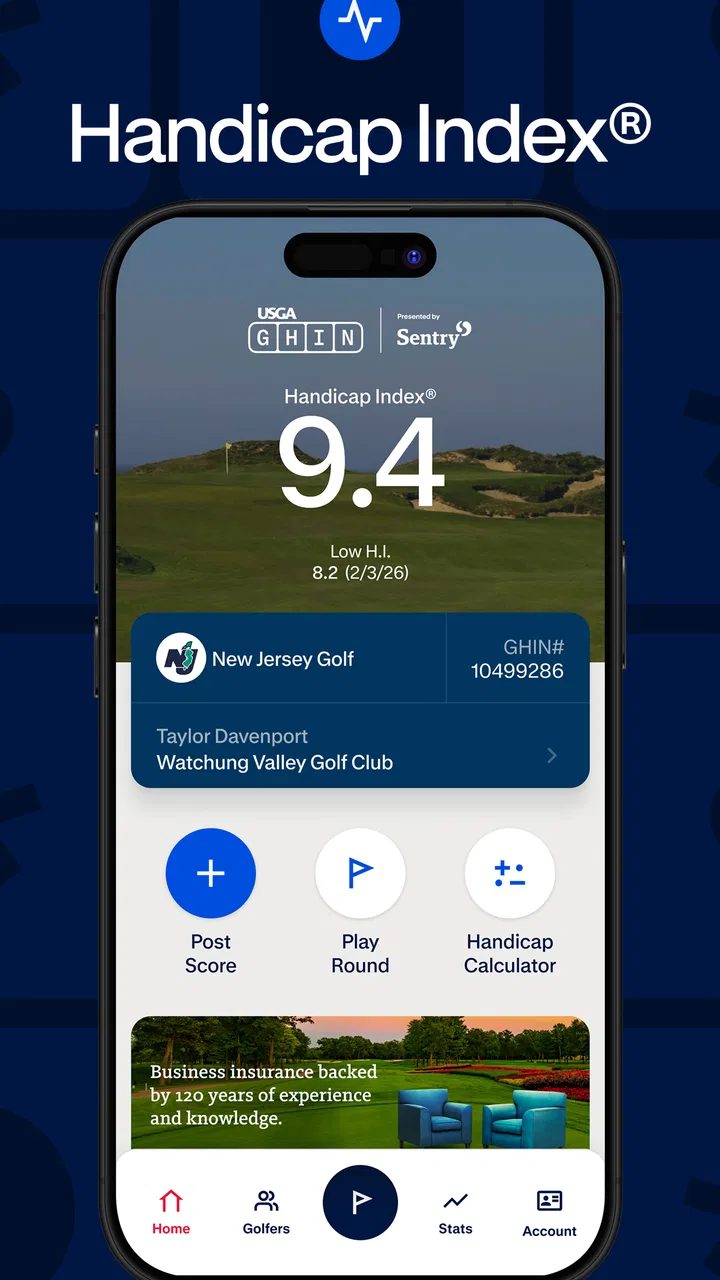
Golfers often discover GHIN when they need something more practical than a scorecard and more official than a handwritten handicap estimate. I approached it as a working tool for keeping golf information organized before, during, and after a round. The app is the official mobile app of the Golf Handicap and Information Network, developed by Golf Handicap and Information Network, and its purpose is closely tied to handicap-related golf administration rather than entertainment.
That distinction matters. GHIN is best understood as a companion for golfers who already participate in a handicap system, not as a complete golf coaching platform or a replacement for a dedicated GPS rangefinder. I found its value in the handoff between playing a round and having that round represented in my golfing records. When that process works smoothly, the app feels useful and focused. When I expected broad course-planning or training tools, its narrower role became more obvious.
From deciding to play to recording the round
When I decide whether to play, I find it helpful to separate the golf itself from the handicap task that may follow. This section looks at where GHIN fits into that decision and how I keep expectations realistic before opening it. A little preparation makes the next step—recording the round—less rushed and easier to check.
You May Also Like

 Blood Strike: 2.5 Anniversary
Blood Strike’s Loadouts Turn Every Drop Into a Tactical Gamble
A close look at Blood Strike’s custom loadouts: how fast access to signature weapons reshapes its battle royale rhythm, rewards preparation, and narrows the gap between fights.

 Pandora - Music & Podcasts
Pandora’s Music Is Easy to Start, but Harder to Recover
Pandora’s strength is its low-effort path from a seed to a station. Its weak spot is how much confidence it asks you to place in connection, setup, and quiet recovery.

 8 Ball Pool
 Is Built on Rivalries, Rematches, and Routine
A close look at the rivalries, rematches, shared routines, and unanswered safety questions that turn a quick pool match into a persistent mobile community.

 Samsung Music
’s Quiet Strength Is Playing What You Already Own
Its reach comes less from spectacle than from dependable access to a personal library. That simplicity is both the app’s strongest retention engine and its ceiling.

 AccuWeather: Weather Radar
AccuWeather Review: A Quick, Clear Forecast for Everyday Decisions
For everyday plans, the best forecast is the one you can understand quickly. AccuWeather makes rain timing, radar, and local conditions easy to act on, with a few trade-offs.

 Hill Climb Racing
Why Hill Climb Racing Still Turns Crashes Into One More Run
A tiny car, a bumpy hill and one more upgrade: Hill Climb Racing keeps resurfacing because its simple chaos makes every near-miss feel personal.
More From Our News Desk



The starting condition: a golfer with a score to manage
The most realistic starting point is simple: I have played, or am about to play, a round of golf and want the result to become part of my handicap history. In that situation, a mobile app is more convenient than waiting until I am back at a computer or relying on a club staff member to handle every detail. Having the official GHIN tool on a phone keeps the administrative part close to the activity itself.
This is particularly useful for golfers who move between regular rounds, club events, and casual games but still want their records handled consistently. The app belongs in the Sports category, and that feels appropriate because it supports the record-keeping side of participation rather than trying to turn golf into a social feed or arcade experience.
My first practical recommendation is to decide what job you want the app to do before installing it. If the goal is to maintain handicap information through the GHIN network, it makes sense. If the main goal is club selection, swing analysis, live shot tracking, or detailed hole-by-hole strategy, I would look first at a dedicated golf GPS or coaching app. Those tools may complement GHIN, but they solve a different problem.
Getting started without confusing the app’s role
The app is free to install, which removes the biggest barrier to trying it. It is rated for Everyone, and the current version is 5.4.9, with support for devices running Android 5.0 or later. Those details make it accessible on a wide range of phones, although an older compatible device may not provide the same speed or comfort as a newer one.
The store shows more than a million installs, an average rating of 3.8, and thousands of ratings and reviews. I read that combination as a sign of a widely used but not universally loved utility. People generally understand the need for the service, yet practical frustrations can matter a lot in an app used around a time-sensitive activity such as a round of golf.
One point worth checking before relying on it is whether GHIN is the handicap service connected to your golfing situation. The app’s identity is not interchangeable with every local golf-record system. A golfer who belongs to a club or association using another arrangement may find that a different official app is more relevant. Installing it is easy; making sure it fits the organization handling your handicap is the more important first step.
The step-by-step flow: turning a round into a record
In everyday use, I think of the workflow in four stages. First, I open the app with a clear idea of what I need to do. Second, I locate the relevant handicap or scoring area rather than browsing aimlessly. Third, I enter or review the round information carefully. Finally, I check the resulting record instead of assuming that a tap automatically means everything is correct.
That last habit is more important than it sounds. Golf scores are easy to mistype when I am standing outside, carrying clubs, or trying to finish a task quickly. A wrong course selection, an incorrect score, or a rushed confirmation can undermine the value of an otherwise official record. I prefer to treat the phone as a convenient entry point, not as a substitute for checking my work.
A useful workflow is to make a brief note immediately after the round about the course, date, and score while the details are fresh. Then I can use GHIN to complete the formal record without reconstructing the round later. This is one of the less obvious advantages of a mobile tool: the app is most helpful when it reduces the gap between the physical scorecard and the digital handicap record.
I also recommend avoiding last-second data entry in a crowded clubhouse or while moving between holes. If I have time, I review the information once before submitting it and once afterward. That small pause helps separate “I entered something” from “the record now reflects what I intended.” For handicap-related information, that distinction is essential.
What the handoffs look like in real life
GHIN sits between several people and systems. There is me as the golfer, the course or club where the round took place, the handicap service, and the people who may later view or rely on the resulting record. The app is valuable because it provides a mobile handoff between those points, but it cannot remove every responsibility from the golfer.
For example, a club event may begin with a paper or digital score, continue through a player’s confirmation, and end with a handicap record that can be reviewed later. Each transition creates a chance for confusion. I would not assume that a score is correct merely because it appears in an app, nor would I assume that a club’s local process is identical to the process I use for a casual round.
This is where GHIN differs from a simple personal spreadsheet. A spreadsheet can be flexible and easy to customize, but it leaves the golfer responsible for calculations, formatting, and keeping the record aligned with the relevant handicap rules. GHIN is more useful when the official network matters and I want the app to be part of that established process.
It also differs from a general golf score tracker. A tracker may offer attractive charts, personal statistics, or a richer diary of every shot. GHIN’s strength is not necessarily visual storytelling about my game; it is the connection to handicap administration. I would choose between them based on the outcome I need, and many golfers may reasonably use both rather than forcing one app to do everything.
The result: what I gain after the round
The clearest result is a more direct path from playing golf to maintaining a handicap record. That helps when I want my recent performance to be represented without manually calculating an index or maintaining a separate log. The app gives the process a dedicated home, which is more dependable than scattered notes in a phone or a stack of scorecards.
It can also make conversations with a club or playing partners easier because I have a central place to review the information associated with my handicap. I still need to understand what I entered, but I do not have to rebuild the entire history every time I want to check where things stand.
For a golfer who plays irregularly, the benefit is organizational rather than constant engagement. I may not open the app every day, and that is fine. Its usefulness appears at specific moments: before a round when I need to prepare, after a round when I need to record it, or when I want to review my current handicap information.
For a regular golfer, the value compounds through consistency. A single entry is not transformative, but a reliable habit reduces forgotten scores and makes the handicap process feel less like paperwork. I found that the app works best when I build it into the end-of-round routine, just as natural as putting away gloves or checking the next tee time.
Where the flow breaks
The main weakness is that an official workflow can feel less forgiving than a casual scorekeeping app. If I am unsure which round details belong in a particular field, the app may not provide the same hand-holding as a coaching product designed for beginners. Golfers who do not already understand handicap terminology may need help from their club or association before the app becomes comfortable.
There is also a difference between availability and convenience. A phone-based process depends on having the device ready and being willing to complete the entry accurately. A weak connection, a low battery, an awkward screen, or simple fatigue after a long round can turn a quick task into an irritating one. I would keep the scorecard until I have checked that the digital record is correct rather than treating the phone as the only copy.
The rating of 3.8 reflects another practical point: this is not an app I would recommend blindly to every golfer. A functional administrative tool can still feel dated, slow, or overly specialized depending on the user’s expectations. If polished visuals, extensive statistics, or a highly guided interface are your priorities, you may prefer a broader golf app for daily use and keep GHIN for the official handicap task.
In-app purchases are listed at $49.99 per item, so I would review any purchase screen carefully and avoid assuming that every optional capability is included simply because the app itself is free. For someone who only needs the core handicap workflow, the important question is whether the free experience covers that need. For someone comparing several golf apps, the possible cost of optional items should be part of the decision rather than an afterthought.
Who should use it, and who should choose something else
I would recommend GHIN to golfers whose handicap information is handled through the Golf Handicap and Information Network and who want a direct mobile route for reviewing or recording golf results. It is also a sensible choice for players who are tired of keeping separate notes and want their handicap-related activity associated with the official service rather than a personal spreadsheet.
It is especially suitable for a golfer who plays at different courses and wants a repeatable post-round routine. The useful pattern is simple: keep the score accurate, enter it soon after playing, inspect the result, and retain the physical or personal backup until everything looks right. That workflow reduces the most common human error without pretending the app can fix an incorrect score.
I would be more cautious about recommending it to a beginner who has not yet joined a handicap structure, someone searching for a full swing-improvement program, or a player who mainly wants live navigation and club recommendations. In those cases, a learning app, GPS tool, or shot-tracking product may be the better first purchase. GHIN can still become useful later, but it should not be judged as though it were designed for those jobs.
My final view is positive but specific. GHIN earns its place when the outcome you need is an organized, official handicap workflow rather than a complete digital golf ecosystem. It is free, established, and focused, with broad device compatibility and a large user base. Its limitations come from the same focus that makes it useful: the experience may feel administrative, and it rewards golfers who already understand the process.
I would install it if my club or association uses GHIN, then test the complete journey with one ordinary round: open the app, enter the information carefully, review what was saved, and compare it with my scorecard. If that handoff feels dependable, the app becomes a practical part of my golfing routine. If I mainly want instruction, entertainment, navigation, or detailed performance analysis, I would pair it with a more specialized tool instead of expecting GHIN to cover every side of the game.
FAQs for GHIN
01What is GHIN and how does it work?
GHIN, or the Golf Handicap and Information Network, is a service provided by the USGA that offers golfers a way to keep track of their handicaps. The app allows users to post scores, track their progress, and compare their performance with friends. It uses a standardized system to ensure fair play across different courses.
02Is the GHIN app free to use?
The GHIN app itself is free to download on both Android and iOS. However, to utilize its full range of features, you must be a member of a golf club that subscribes to the GHIN service. Membership fees may vary depending on the club.
03Does the GHIN app require an internet connection?
Yes, the GHIN app requires an internet connection for most of its features, such as posting scores and accessing the latest course ratings. However, some basic features like viewing scores already posted may be accessible offline, depending on your device's caching capabilities.
04Can I track scores from multiple courses using GHIN?
Absolutely! The GHIN app supports score tracking from a wide range of courses. With its comprehensive database, you can post scores from any USGA-rated course, allowing for accurate handicap calculations regardless of where you play.
05How secure is my data on the GHIN app?
The GHIN app prioritizes user data security by employing encryption and secure servers to protect your information. Your personal details and scores are stored safely, but it's always best practice to use strong passwords and keep your app updated to the latest version for enhanced security.
Pros
- User-friendly interface for easy navigation.
- Comprehensive handicap tracking features.
- Real-time score updates during play.
- Integration with GPS for course details.
- Supports multiple languages for global users.
Cons
- Requires internet for full functionality.
- Limited features in the free version.
- Occasional syncing issues reported.
- Some users find ads intrusive.
- Battery drain during continuous use.

GHIN
Gallery